From dieline to manufacturing cost
The new calculator searches every manufacturing line and every nesting, and finds the lowest-cost manufacturing line for your job — by your count and dieline dimensions. No nesting template to choose.
Included in Business and Business Plus.
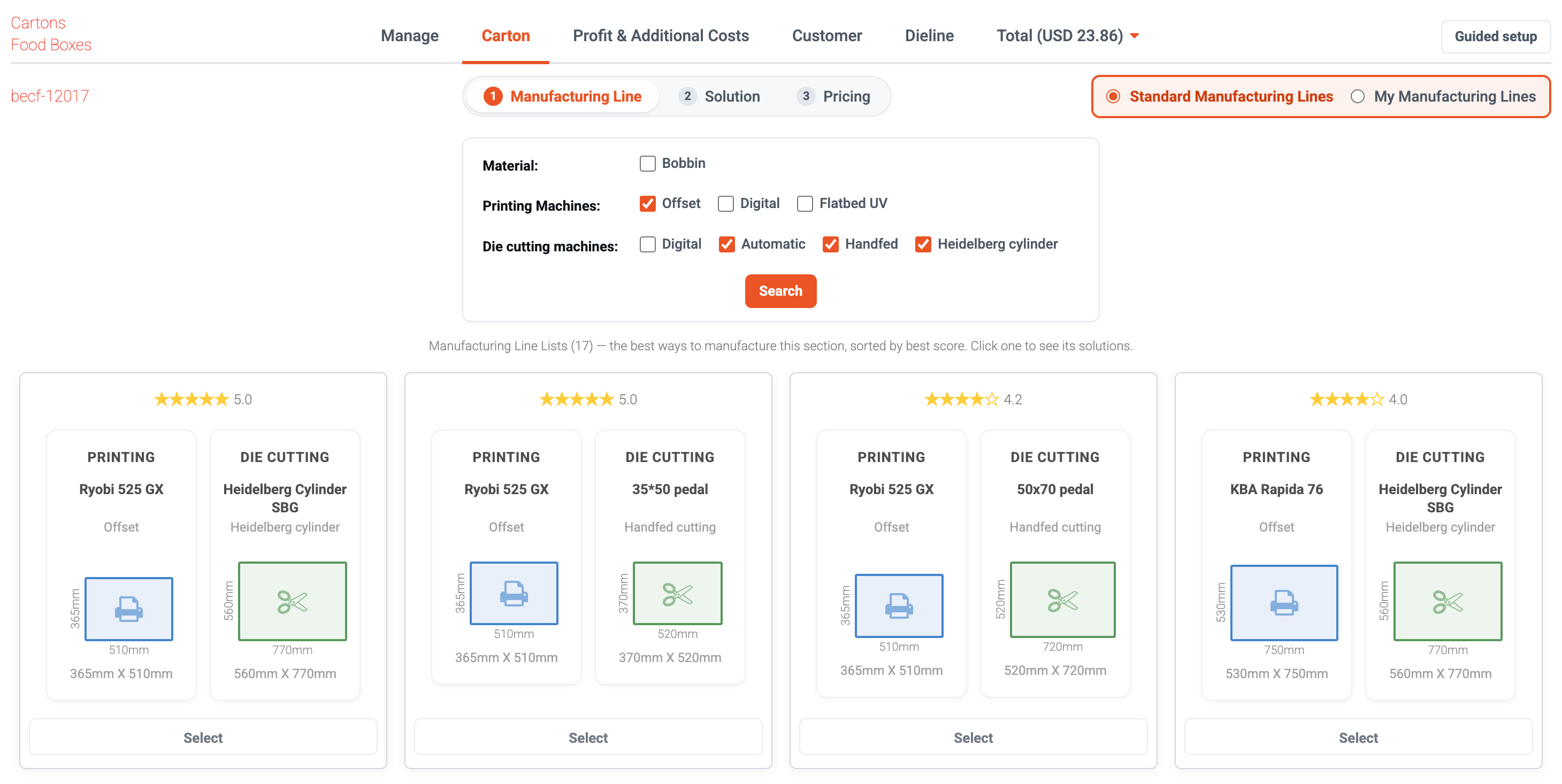
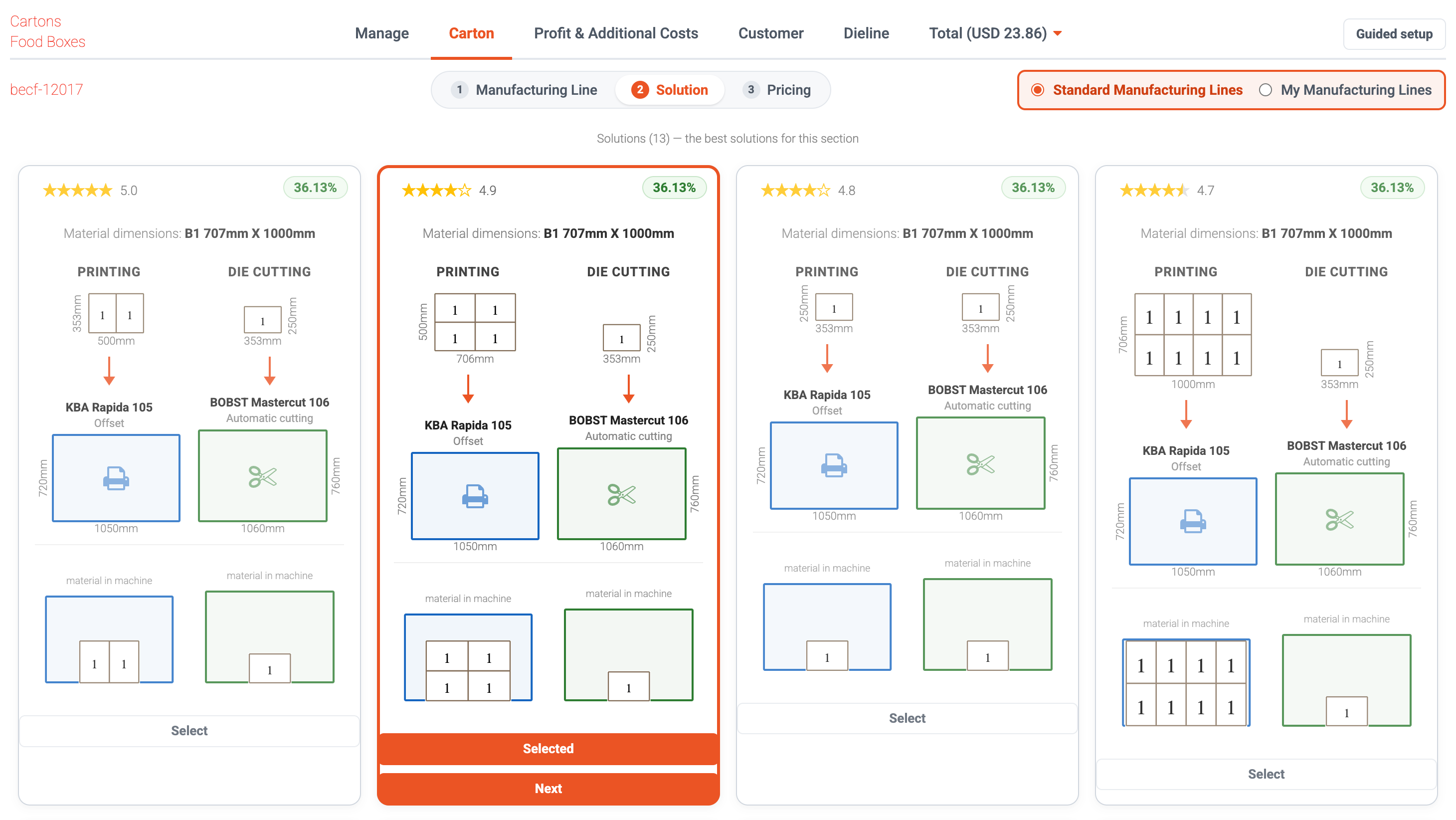
All the nesting combinations, compared side by side
For every manufacturing line, it works out the nesting — how many fit per sheet, on which machines, and how efficiently the material is used. No template to pick; just compare the solutions.
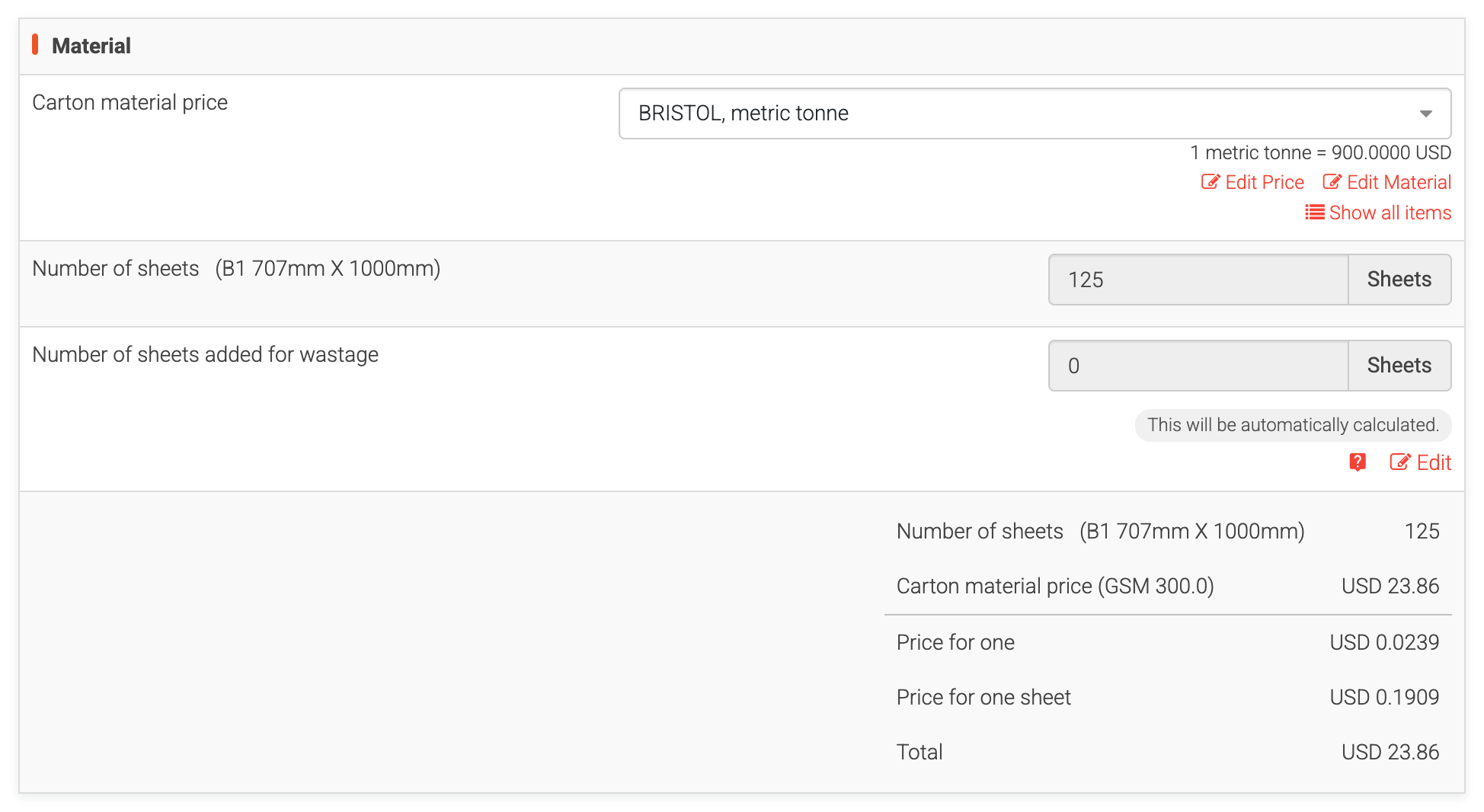
Calculates every operation cost
Every operation that goes into making your job is calculated and totaled for you.
It does the searching for you
Finds the lowest-cost way to make it
It searches every possible manufacturing line and nesting, then picks the lowest-cost solution for your count and dieline dimensions.
No nesting template to pick
You don't choose a nesting template anymore. The new version finds the nestings automatically.
Dieline to cost, in one flow
Go straight from your dieline to a manufacturing cost calculation — no detour.
No pricing data? Start anyway
Haven't entered your own pricing yet? Use the standard manufacturing lines and get a result right away.
It prices every part of the job
Dieline in, best solution out
Start from your dieline
Open the calculator on the dieline you want to produce.
It finds the lines and nestings
The calculator searches every manufacturing line and every nesting automatically — nothing to set up.
See the best way to make it
Compare the solutions and their costs for your count and dieline dimensions, then pick the one that fits.
No pricing data yet? You can start with the standard manufacturing lines and get a result immediately — then add your own machines and prices whenever you're ready.
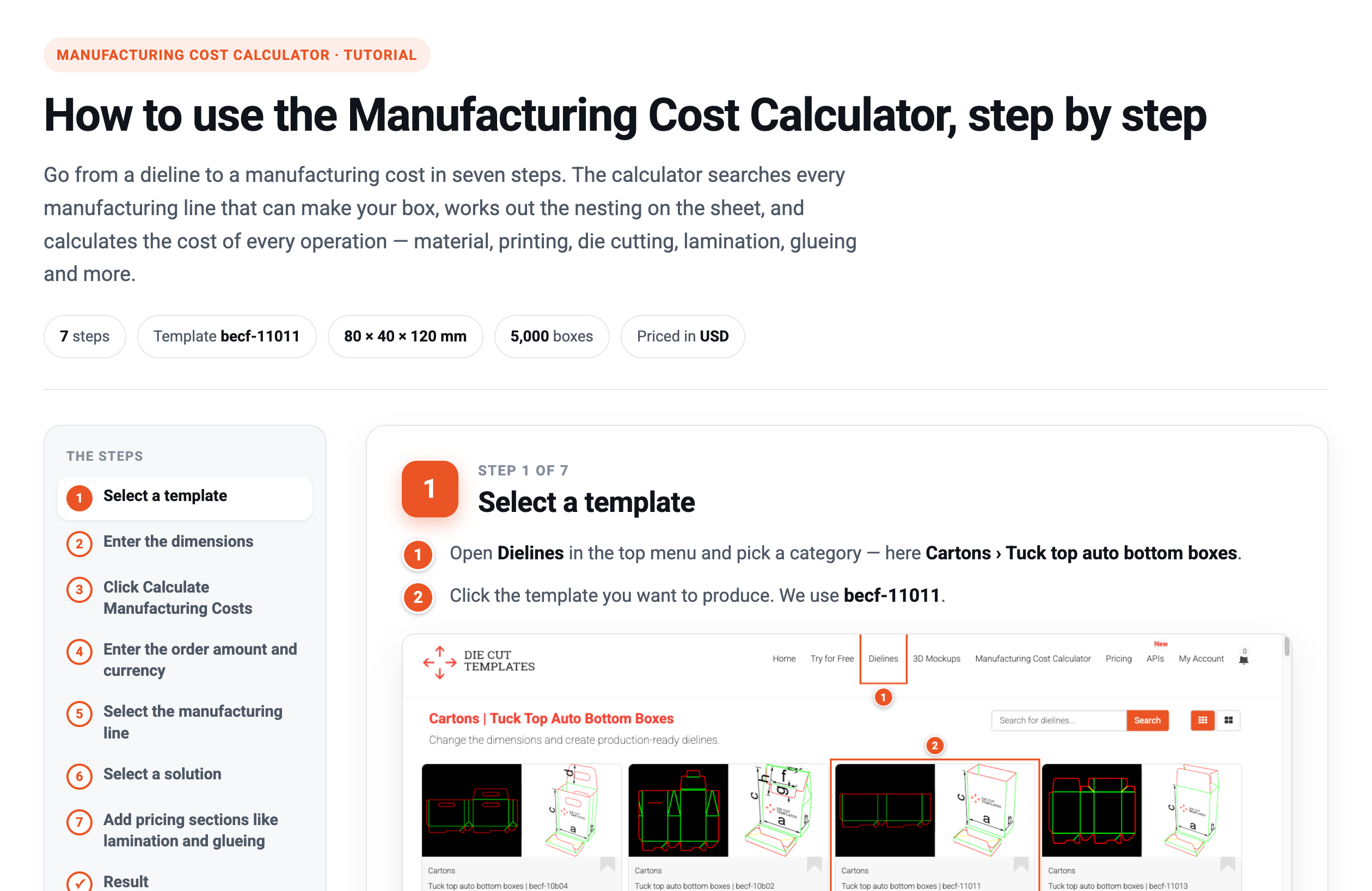
Follow a real manufacturing cost calculation from start to finish — from selecting a template to the price for one, with every click shown.
- Select a template
- Enter the dimensions
- Click Calculate Manufacturing Costs
- Enter the order amount and currency
- Select the manufacturing line
- Select a solution
- Add pricing sections like lamination and glueing
Get the new calculator
Go from a dieline to a manufacturing cost in one flow — every manufacturing line and nesting found for you.
See Business plans Die Cut Templates is an online packaging template collection, custom dieline generator, template maker and a packaging design tool with nesting, manufacturing cost calculator and 3D capabilities. All of the packaging templates are easy to download.
We have over 35,000 vector packaging templates (dielines) for tuck end boxes, snap lock boxes, tuck top auto bottom boxes,
standard boxes, four corner tray boxes, fruit and vegetable boxes, special boxes, separators, paper bags, gift boxes
and a great number of packaging templates. With Die Cut Templates, you can arrange your dielines using the nesting tool.
Die Cut Templates also offers uploading your logos and artwork for your 3d Mockup designs and offers online previews in 3D.
Die Cut Templates also provide a Dielines API.
Dielines API allows for generating custom dielines in PDF, DXF, and SVG formats, along with 3D mockups and nesting.